Download Sign Burger – food ordering app, mobile ordering, online food delivery, fast food app, digital menu, Android app, mobile payment, quick pickup, restaurant app, food delivery app
Overview
Sign Burger is a mobile application designed for Android users seeking a streamlined experience in ordering food and beverages. The app enables users to create an account or sign in quickly, allowing immediate access to its core functionalities. Its primary purpose is to simplify the process of ordering meals, particularly for customers who value speed and convenience. By offering online ordering and payment capabilities, Sign Burger ensures that food is prepared and ready for pickup at the nearest branch, eliminating wait times typically associated with in-person ordering.
The app caters to busy individuals, students, and food enthusiasts who prioritize efficiency in their daily routines. With a digital menu accessible at any time, users can browse a diverse selection of food and drink options without needing to visit the restaurant physically. The app’s focus on user experience makes it suitable for both first-time users and regular customers. While the developer did not provide detailed background information, the app’s design and functionality suggest a targeted approach toward enhancing the digital dining experience.
Real-world usage scenarios include ordering lunch during a work break, placing a dinner order before leaving the office, or quickly grabbing a snack between appointments. The integration of secure payment methods ensures a safe and reliable transaction process. Sign Burger fits into the growing trend of digital-first food services, offering a practical solution for those who want to minimize time spent waiting and maximize convenience.
Key Features & Capabilities
- Quick Sign-In & Account Creation – Users can sign up or log in swiftly, enabling immediate access to the app’s features without lengthy registration processes.
- Online Ordering & Payment – The app supports digital ordering and secure online payments, allowing users to place orders and pay without cash or physical cards.
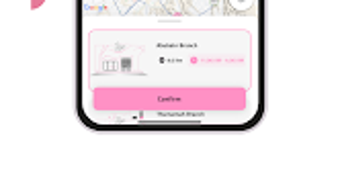
- Ready-for-Pickup Service – Orders are prepared in advance, ensuring that food is ready at the nearest branch when the user arrives, reducing wait times significantly.
- Digital Menu Access – A comprehensive and easily navigable menu provides detailed information about food and drink options, supporting informed decision-making.
- Mobile Payment Integration – Multiple secure payment methods are supported, ensuring a safe and convenient transaction process for every order.
- Optimized Navigation – The interface is designed for ease of use, allowing users to browse, select, and order items with minimal effort.
These features collectively enhance the user journey, from browsing to payment. For example, a user can open the app during a lunch break, select a meal from the digital menu, pay securely, and arrive at the nearest branch to find their order waiting. This workflow is ideal for time-sensitive situations and supports a frictionless experience. The app’s focus on efficiency makes it particularly beneficial for individuals with tight schedules, such as professionals, students, or commuters.
User Interface, Workflow & Performance
The user interface of Sign Burger is designed with simplicity and functionality in mind. Navigation is intuitive, allowing users to move seamlessly between the menu, order history, and account settings. The layout emphasizes clarity, with well-organized sections and visual cues that guide users through each step of the ordering process.
Workflow efficiency is a key strength, as the app minimizes the number of taps required to complete an order. From browsing the digital menu to confirming payment, the process is streamlined to reduce user effort. The app’s performance is expected to align with standard Android application behavior, though exact performance details were not specified. The developer did not provide information on CPU or RAM usage, so resource consumption cannot be assessed.
Stability appears to be a priority, given the app’s focus on timely order fulfillment. While real-world performance metrics are not available, the app’s design suggests a stable and responsive experience under normal usage conditions. Users can expect consistent behavior when placing orders, browsing the menu, or managing their account. The absence of reported crashes or bugs in the available information indicates a reliable user experience.
Compatibility & System Requirements
Sign Burger is available exclusively for Android devices. The app supports the latest Android versions, though specific compatibility details were not provided. The installation size is 25.8 MB, indicating a lightweight footprint that should not significantly impact device storage.
Exact system requirements were not listed, so users should ensure their device meets general Android standards for running third-party applications. The developer did not specify minimum RAM, processor speed, or storage space requirements. Compatibility with older Android versions is unclear, and users should verify their device’s operating system version before downloading.
For optimal performance, it is recommended to use the app on devices with a stable internet connection, as online ordering and payment require continuous connectivity. The app’s lightweight size suggests it can run efficiently on a wide range of Android devices, including mid-tier smartphones and tablets.
Pros and Cons
Pros
- Free to download and use, making it accessible to a broad audience.
- Quick sign-in and account creation process.
- Seamless online ordering and secure payment integration.
- Ready-for-pickup service reduces wait times at branches.
- Intuitive interface with optimized navigation for ease of use.
- Lightweight installation size of 25.8 MB.
Cons
- Compatibility with older Android versions is not confirmed.
- Exact system requirements were not specified.
- Performance data such as CPU or RAM usage is unavailable.
- Only available on Android, limiting access for iOS users.
- Limited information about offline functionality.
FAQ Section
Is Sign Burger available for iOS devices?
Currently, Sign Burger is only available for Android users. There is no official iOS version listed in the provided information.
Can I use Sign Burger without an internet connection?
The app requires a stable internet connection for ordering, payment processing, and accessing the digital menu. Offline functionality was not specified.
Is the app secure for online payments?
Sign Burger supports secure payment methods, ensuring a safe transaction process. However, specific security protocols or encryption standards were not detailed.
How often does the app receive updates?
Update frequency was not provided. Users are encouraged to check the app store for the latest version.
What kind of license does Sign Burger use?
Sign Burger is offered as a free application. The licensing model was not specified beyond its free availability.
Final Thoughts & CTA
Sign Burger delivers a focused and efficient solution for Android users seeking a fast, convenient way to order food without waiting. Its clean interface, secure payment integration, and ready-for-pickup model make it a practical tool for busy individuals and food lovers alike. While limited information about system requirements and offline capabilities is available, the app’s lightweight design and free access enhance its appeal.
For those who prioritize speed, simplicity, and reliability in their food ordering experience, Sign Burger stands out as a solid choice. Its mobile-first approach and emphasis on user convenience align well with modern lifestyle demands. The app’s seamless workflow and secure transactions contribute to a trustworthy and enjoyable experience.
Download Sign Burger now and enjoy a smarter way to order your favorite meals with zero wait time.


